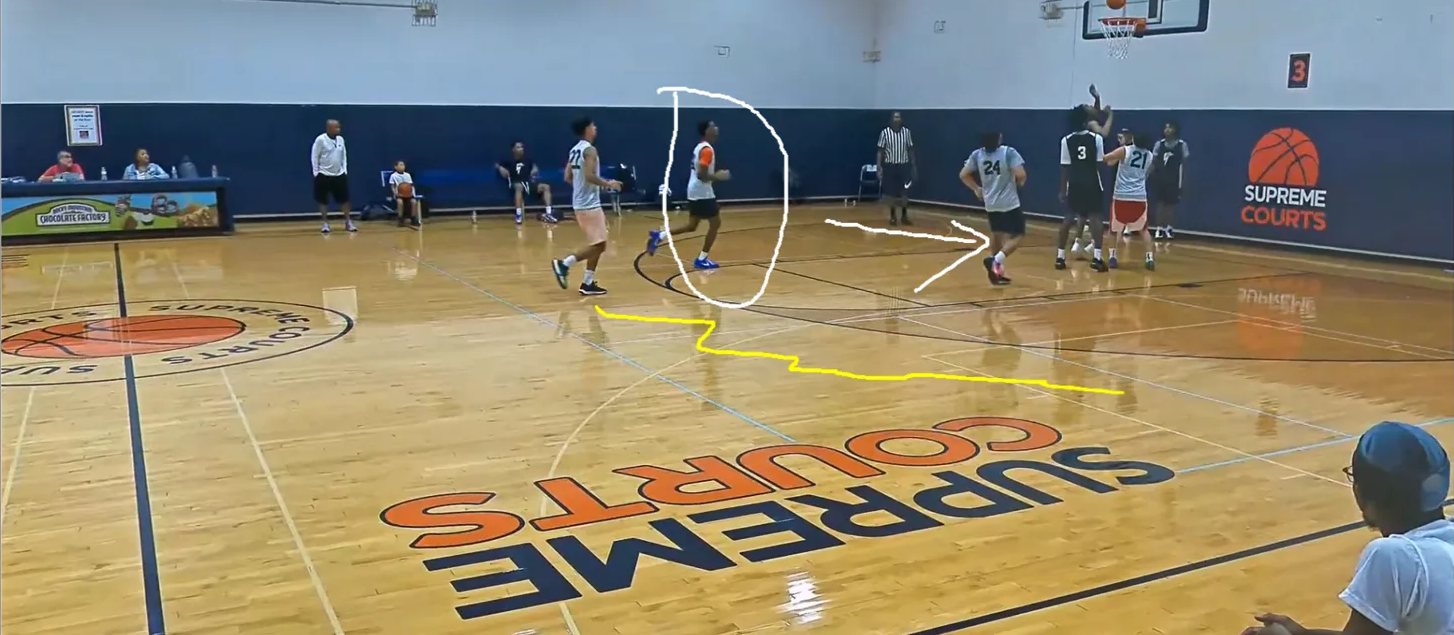
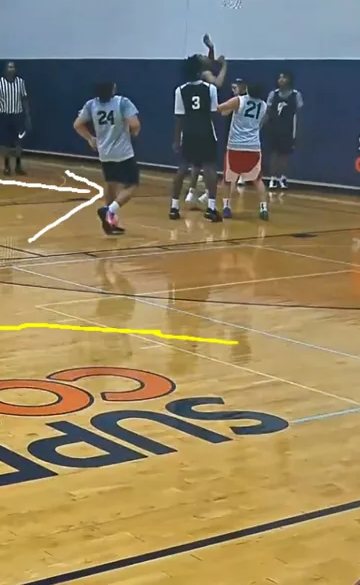
Replay every moment.
Register free to watch your event’s game film and revisit the plays that matter.
Register free to watch your event’s game film and revisit the plays that matter.
Use AI tools to find key moments, tag your athlete’s plays, and create highlights.
Download your favorite clips for social media. Downloads and highlight reels are optional paid upgrades.
Bring your game film, performance stats, and development priorities together in a player profile built for the next step.
Request AI reports and pro stats to understand your athlete’s game—and turn those insights into a focused development plan.
Explore scoring, shooting, playmaking, and defense insights to identify strengths and areas for growth.
Get clear priorities, measurable targets, and practice guidance to help shape what comes next.
Efficiency maps, ratings charts, shot charts, and heat maps turn every game into a picture athletes and parents can read—and track over the season.

TargetRaise 3-point attempt rate from 14.3% to 25–30% of total FGAs; build pull-up and catch-and-shoot consistency to 40%+.
HowDaily catch-and-shoot reps from the corners and wings; add pull-up three drills off pick-and-roll reads.
TargetCut turnovers to under 6 per 36 min; raise assist-to-turnover ratio from 0.33 to 2.0+.
HowControlled pick-and-roll decision drills on kick-out timing; film review to spot unnecessary dribble penetration.
TargetMove from 0/2 FT to 2–3 attempts per game; improve FT% to 75%+.
HowFinishing through contact and floater work; 10 minutes daily on free-throw mechanics.
| Game | PTS | REB | AST | STL | BLK | TO | FG | 3P | FT |
|---|---|---|---|---|---|---|---|---|---|
| vs AR Elite | 15 | 2 | 1 | 1 | 0 | 3 | 7-12 | 1-2 | 0-2 |
| vs Unknown | 8 | 2 | 1 | 2 | 0 | 1 | 2-8 | 0-0 | 4-8 |
Charts a growing athlete, and the parents in the stands, can actually read. Follow every game, spot the patterns, and watch the progress add up.
Stats summary from game film, analyzed by the Spark My Sport AI engine. Sample shown.
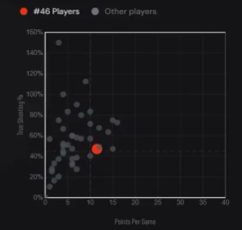
What it showsPlots points per game against true shooting %. Your athlete is the red dot, shown alongside other players from the event.
Why it mattersUp and to the right means more points on better shots. Watch the dot climb as the season goes on.
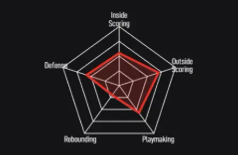
What it showsRates five skills on one chart: inside scoring, outside scoring, playmaking, rebounding, and defense.
Why it mattersStrengths stretch the shape out and gaps pull it in. A bigger, rounder shape over time means a more complete player.
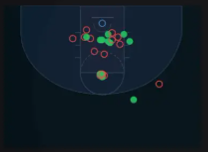
What it showsEvery attempt on the court. Green is a make, red is a miss.
Why it mattersSee which spots are working and which need reps, so practice time goes where it counts.
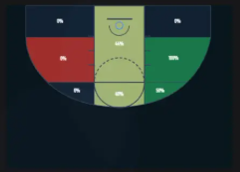
What it showsShooting broken down by court zone. Green zones are hot, red zones need work.
Why it mattersKnow your best spots at a glance, and see range grow as new zones turn green.
New film adds to the charts, so athletes see what worked and what to work on next.
Compare game to game and watch strengths grow. Progress you can see is progress that sticks.
Share clear, visual proof of development with coaches, trainers, and scouts.
Select what you’re interested in, then open an email request to our team. Include your event, athlete’s name, and team. Pricing and availability will be confirmed by the team.
Request player insights ↗Opens your email app. No request is submitted until you send the email.
Build your recruiting profile all season, so you're ready when summer showcases arrive.
Most players start promoting themselves when showcase season begins. By then, their best high school moments are scattered across apps, hard drives, and group chats. Spark My Sport keeps all of it in one place, starting with your first high school game.
Bring in your high school games from Hudl or the NFHS Network, or upload your own film directly. Every game lands in one place, ready to work with.
Create highlight reels from your best plays and track your performance stats game by game. You can see how you're developing over the season.
Each game adds to a recruiting profile with your film, stats, and progress. By the end of the season, your profile shows your full body of work.
When showcase and travel season starts, your highlights, stats, and profile are already done. Spend your time competing and connecting with coaches and scouts.
Book a call with Spark My Sport for a demo. We'll show you how to create your own channel with your game film, highlights, stats, and recruiting profile, all in one place.
Registration, game viewing, and creating and sharing clips in Film Studio are free. Downloads, highlight reels, and Player Spotlight reports are optional paid upgrades. Confirm current pricing and availability with Spark My Sport.
Efficiency maps, ratings charts, shot charts, and heat maps show how your athlete scores, where shots come from, and which skills are growing. Parents and athletes can read them together after each game and track progress across the season.
Parents, guardians, and athletes who participated in the listed events. Choose your athlete’s event and follow the registration steps on Spark My Sport.
Yes. Use “Request player insights” to email contact@sparkmysport.com with the reports you’re interested in, your athlete’s name, team, and event.
Log in to Spark My Sport to return to your account. For registration help, email contact@sparkmysport.com.
Watch the games. Create AI highlights. Download your favorite clips for social media. Start with free registration for your Fundamental University event.
Oct 18th 2026, Oct 25th 2026 & Nov 1st 2026
Aug 4th 2026
Free registration & viewing · Optional paid downloads and reports
Choose from our game film, highlights, stats, and season services.
Create your account to watch games, view highlights, and track player performance.
Register to watch available game film through the end of the year.
Create your own highlight clips, download them, and post your best moments on social media.
Download available game film to keep and share.
Combine your clips into one game highlight reel, ready to download and share.
Request player stats and AI reports. Email your jersey number and the games you want analyzed.
Turn your time on the sidelines into an earning opportunity. Parents and fans can record and upload full games to SparkMySport, helping players access game film, highlights, and stats to review their performance and develop their skills.
Want to earn money from your recordings? Email support@sparkmysport.com to learn how to join the SparkMySport Marketplace.
Upload or record your games and get stats and player highlights throughout your high school season.
*Game film access and self-created highlight clips are free through December 31, 2026.